Frequently Asked Questions
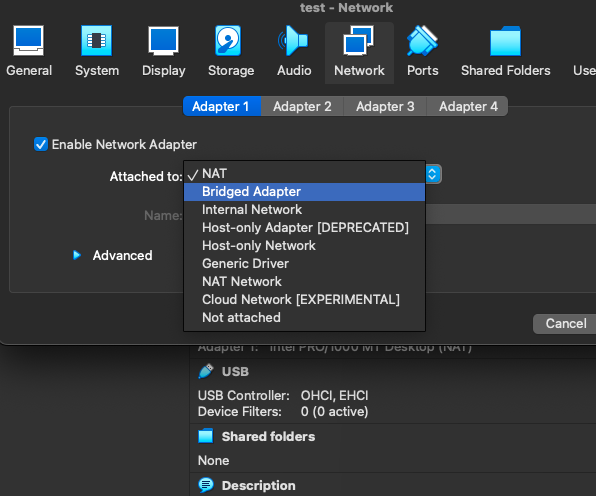
- I am using VirtualBox and the IP address my VM gets is not accessible from my machine
By default, VirtualBox creates a NATed VM. Switch your VM's network to 'Bridged':
- On my dev cluster I get 'Too many open files' when I try to follow logs.
SSH to your dev cluster.
`sudo vi /etc/sysctl.conf`
Add the following lines:
fs.inotify.max_user_instances = 131072 fs.inotify.max_user_watches = 131072Reboot your dev cluster
- How to set a static IP in Ubuntu Server 23.04
Edit networking configuration:
sudo nano /etc/netplan/00-installer-config-yamlMatch the IP address as well as the gateway and nameservers to your environment:
# This is the network config written by 'subiquity' network: ethernets: eth0: dhcp4: false addresses: [192.168.2.12/24] routes: - to: default via: 192.168.2.1 nameservers: addresses: [8.8.8.8,8.8.4.4] version: 2Update the configuration
sudo netplan applyVerify you got the IP defined above:
ip addr
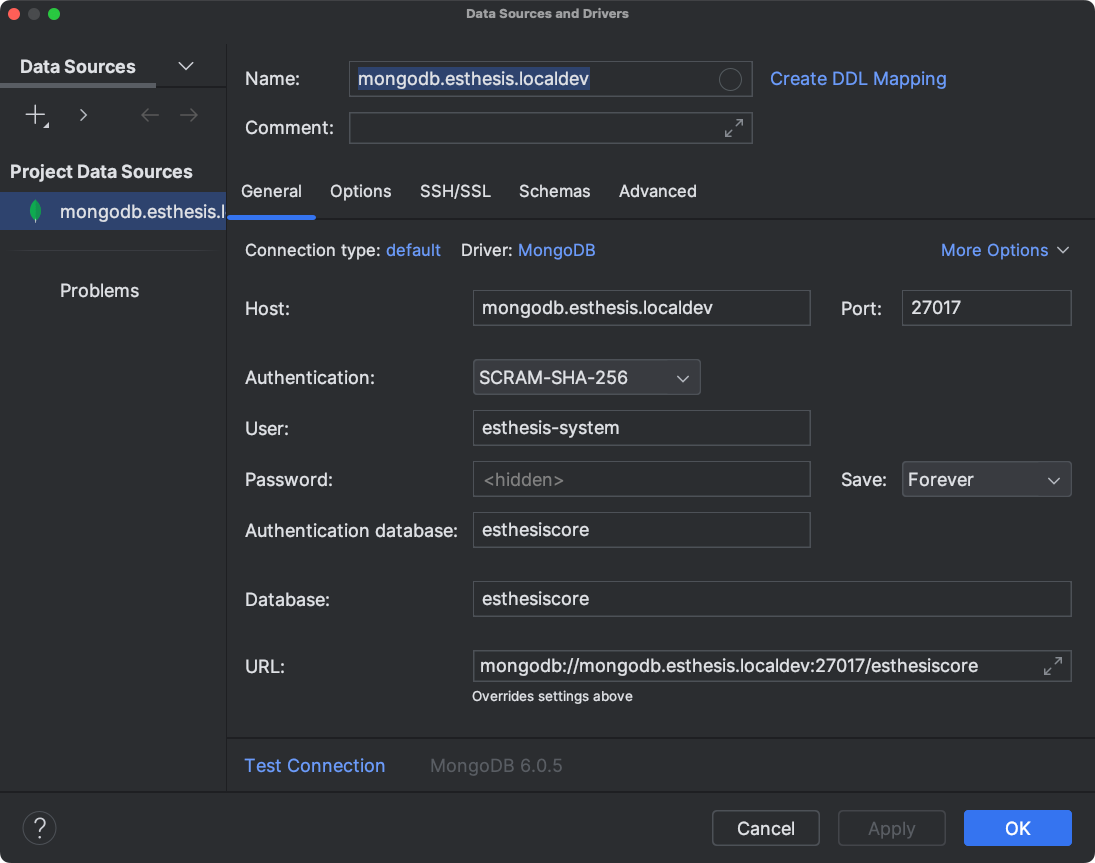
- How to connect IntelliJ to MongoDB
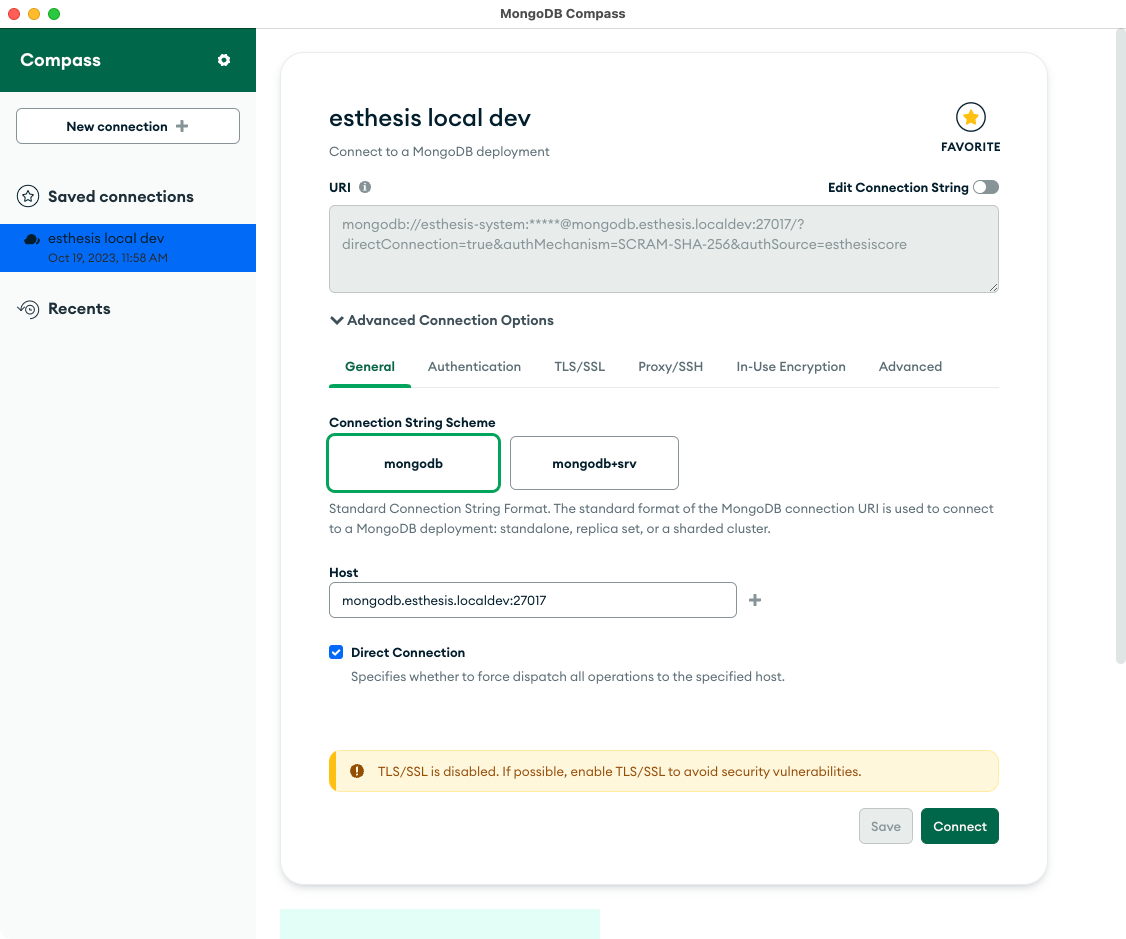
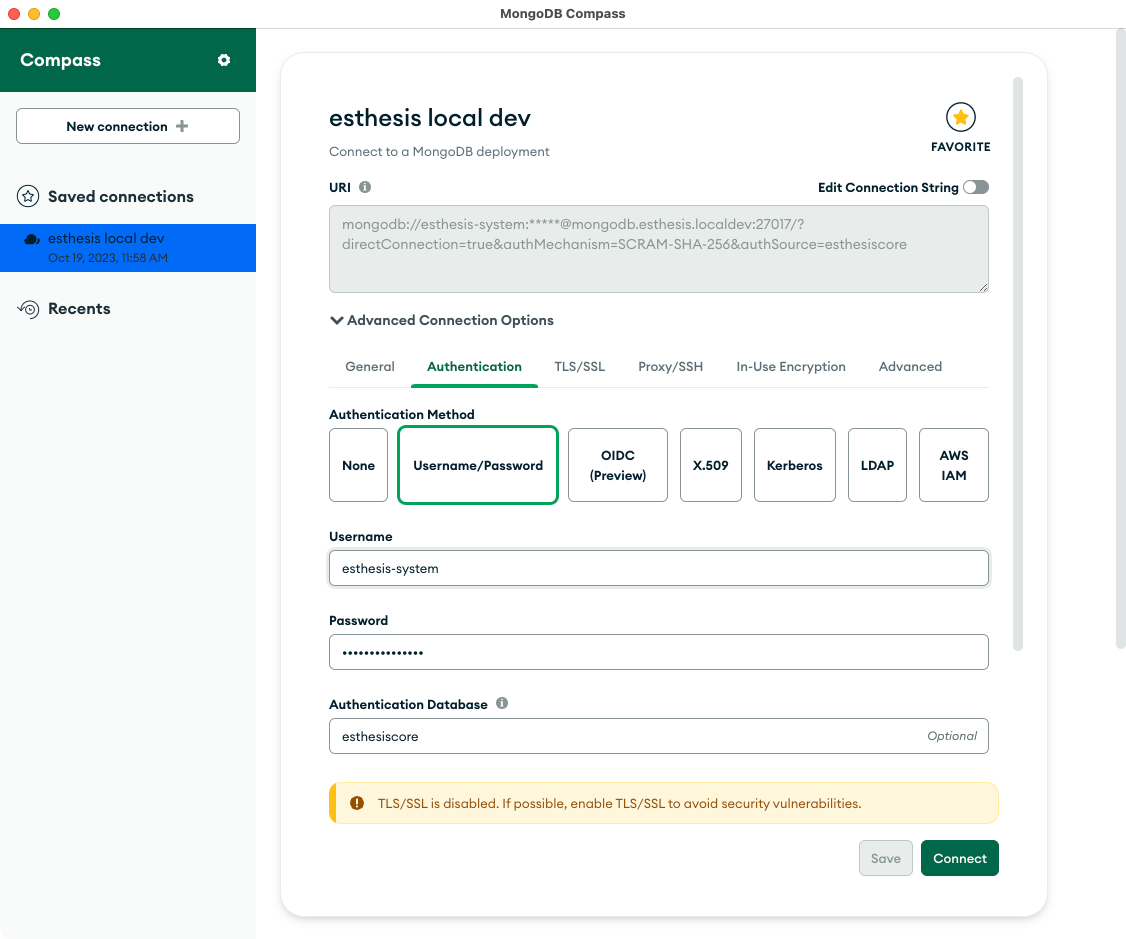
- How to connect to MongoDB from MongoDB Compass
- How to create a token in InfluxDB
Open the InfluxDB UI, e.g. http://influxdb.esthesis:8086.
Switch to the organisiation you want to create the token for by clicking on the organisation name in the top left corner.
Hover on the sidebar icon depicting an arrow pointing up.
Select 'API Tokens'.
Click on 'Generate API Token' button and choose "All Access API Token".
Give a description.
Copy the token and save it somewhere safe.
Last modified: 06 May 2025